Start with your project
Import supported ETS projects with a report of warnings and limitations. Continue in KNXBench’s own versioned format. Or start a new project from scratch.
.knxproj → .knxdb
 KNXBench
Independent KNX engineering app · Alpha 14
Import projects. Work with devices and group addresses. See what the bus is saying. KNXBench brings your installation into a modern engineering workspace.
In your browser via Docker. Or natively on Linux.
Free to use
On your own instance
Project data with clear import reports
You know your installation. Your tools should help you understand it, not get in the way.
Import supported ETS projects with a report of warnings and limitations. Continue in KNXBench’s own versioned format. Or start a new project from scratch.
.knxproj → .knxdb
Topology, buildings, devices, group addresses and links in one workbench. With search, an inspector and undo/redo, so the next change stays understandable too.
Search · Inspector · Undo/redo
Observe telegrams over KNXnet/IP, inspect values and explore communication as a table or flow view. Individual messages become a picture you can follow.
Telegram monitor · Flow view
Parameters sit where the product data seats them. Manufacturer ZIPs install in one step. Notes get a say before a delete. And bug reports can bring the facts along.
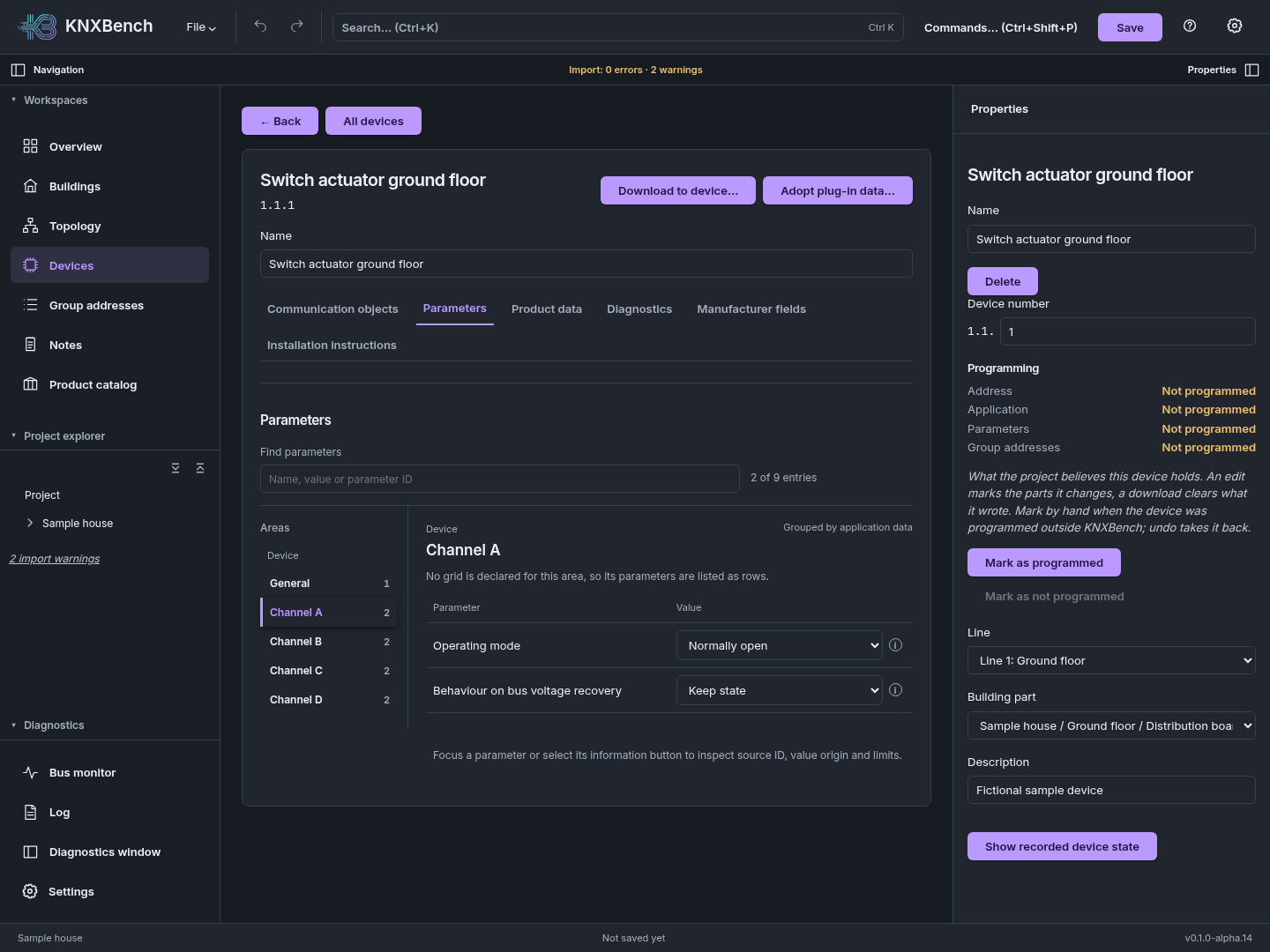
An area register built from the product data, compact aligned rows and one search across every area. Switch areas freely: drafts and conflicts stay exactly where you left them.
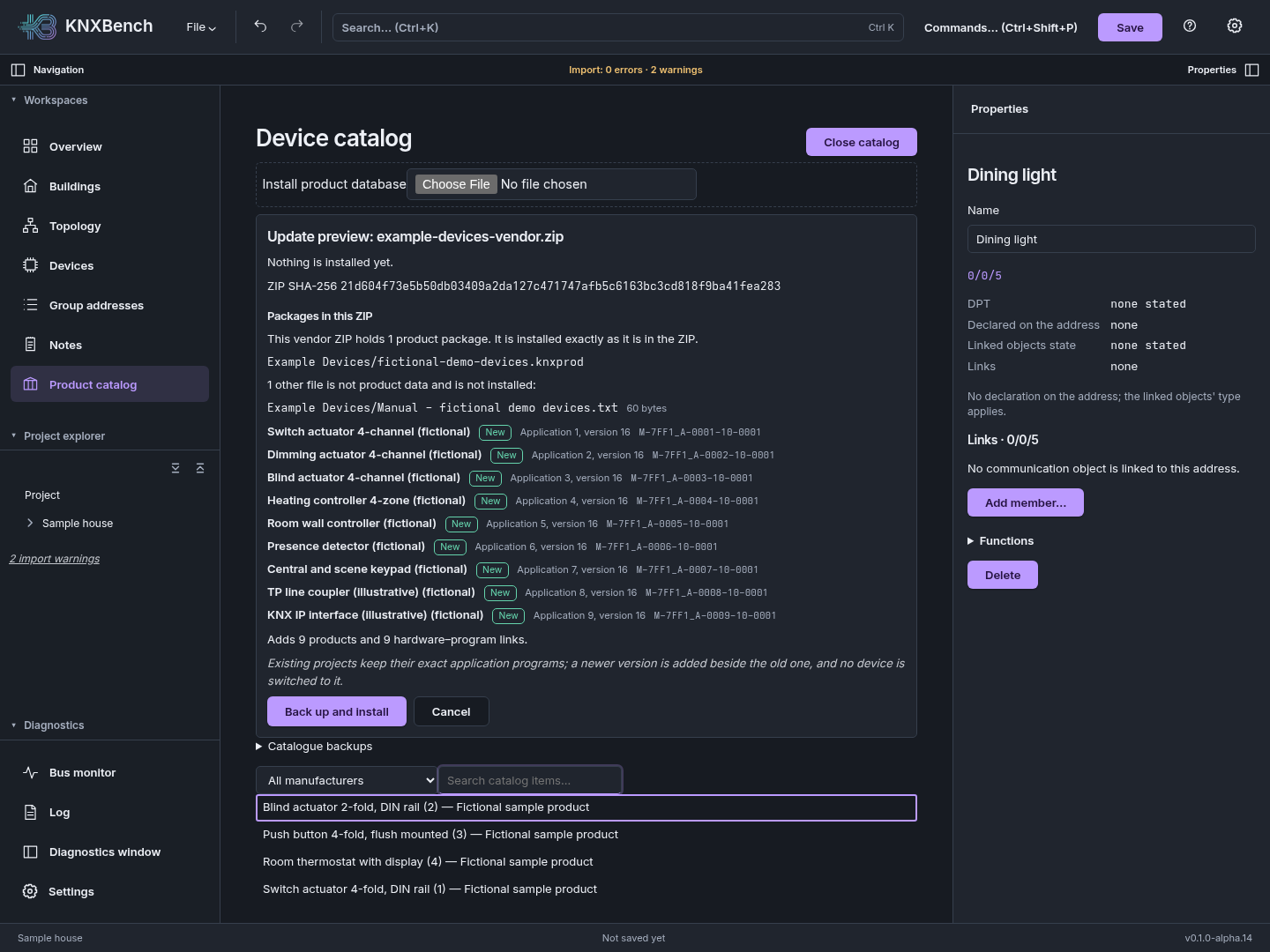
Hand the catalogue the manufacturer’s ZIP: every product package inside is previewed, then installed together, byte for byte — or not at all. Manuals are listed, not hoarded.
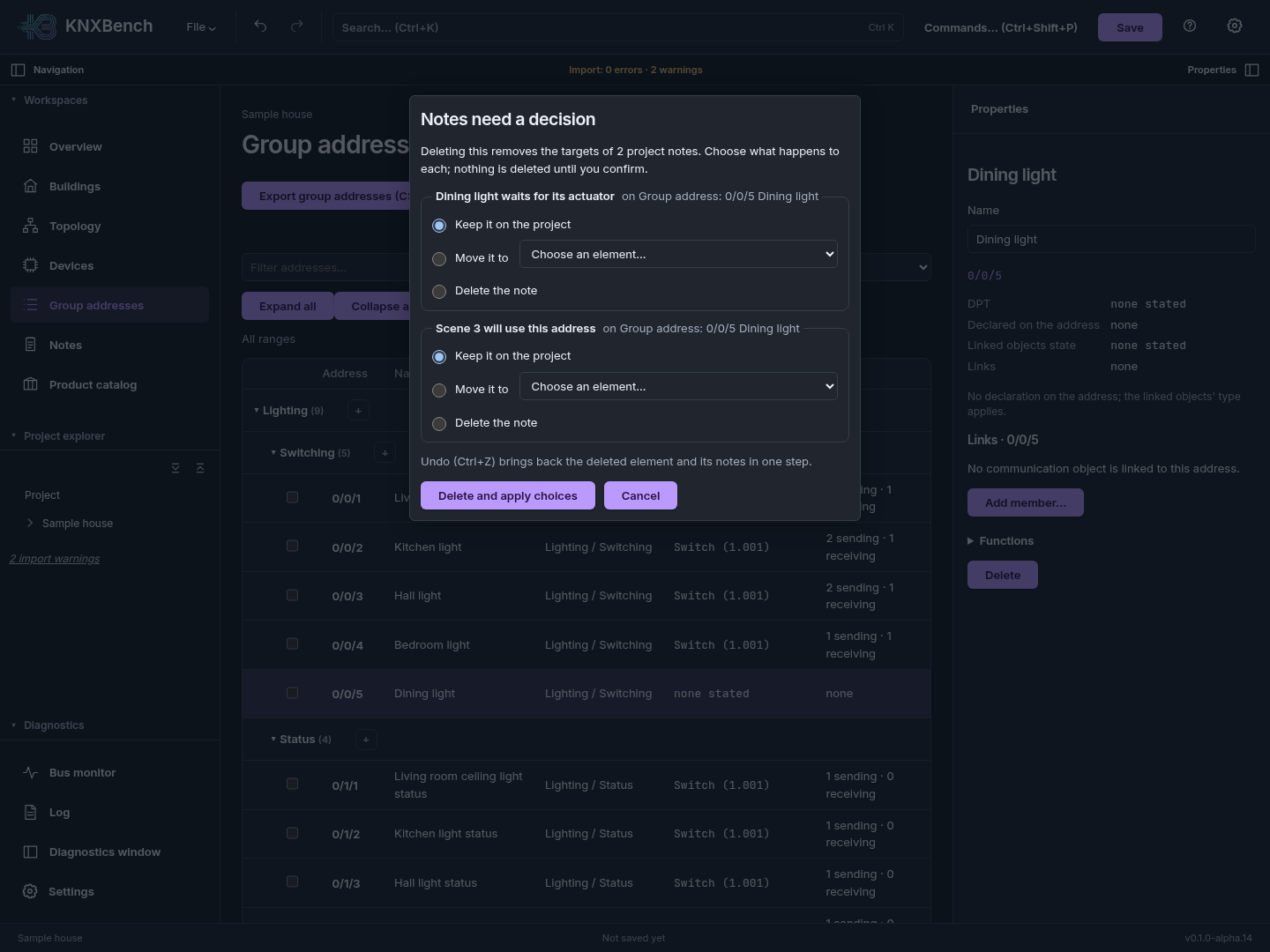
Deleting something that notes point at now asks first: keep each note on the project, move it elsewhere or delete it. It all happens in one step, and one Undo brings everything back.
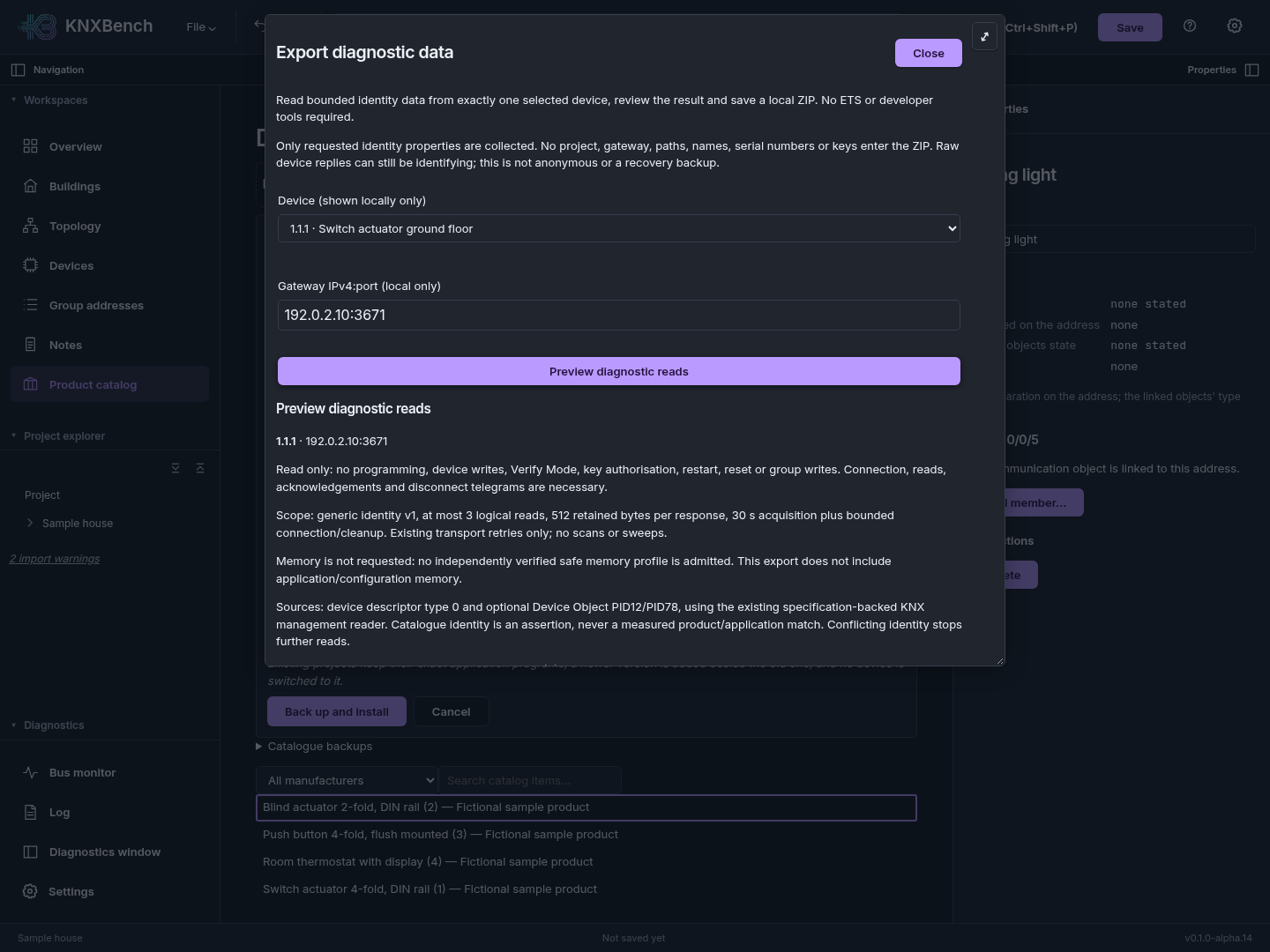
The diagnostic export picks one device, shows exactly which identity data it will read, then saves a local ZIP for the maintainers. It only reads — the device stays exactly as it was.
Parameter layouts keep growing: inline sections, units after values and object folders follow in a later alpha. A tidy parameter screen is still a parameter screen, not a download permit — System-2 downloads and KNX Secure remain on the roadmap.
What Alpha 14 bringsShort looks at the real application. Every recording uses fictional sample data, not somebody’s actual installation.
Add a device from the product catalog, assign a free address and link a communication object to a group address. Without jumping between five different tools.
A push button is picked from the product catalog, named “Push button dining” and created with a free individual address in the sample house. Its first communication object is then linked to 0/0/2 “Kitchen light” with the searchable address picker. The recording uses zoom and plays at double speed.
The flow view brings senders, receivers and values together. Here it follows lights, blinds and temperature in the sample house, in the optional green CRT theme.
Simulated telegrams from the fictional sample house make devices appear in the flow view: lights switch on and off, a blind moves down, and temperature and valve values change.
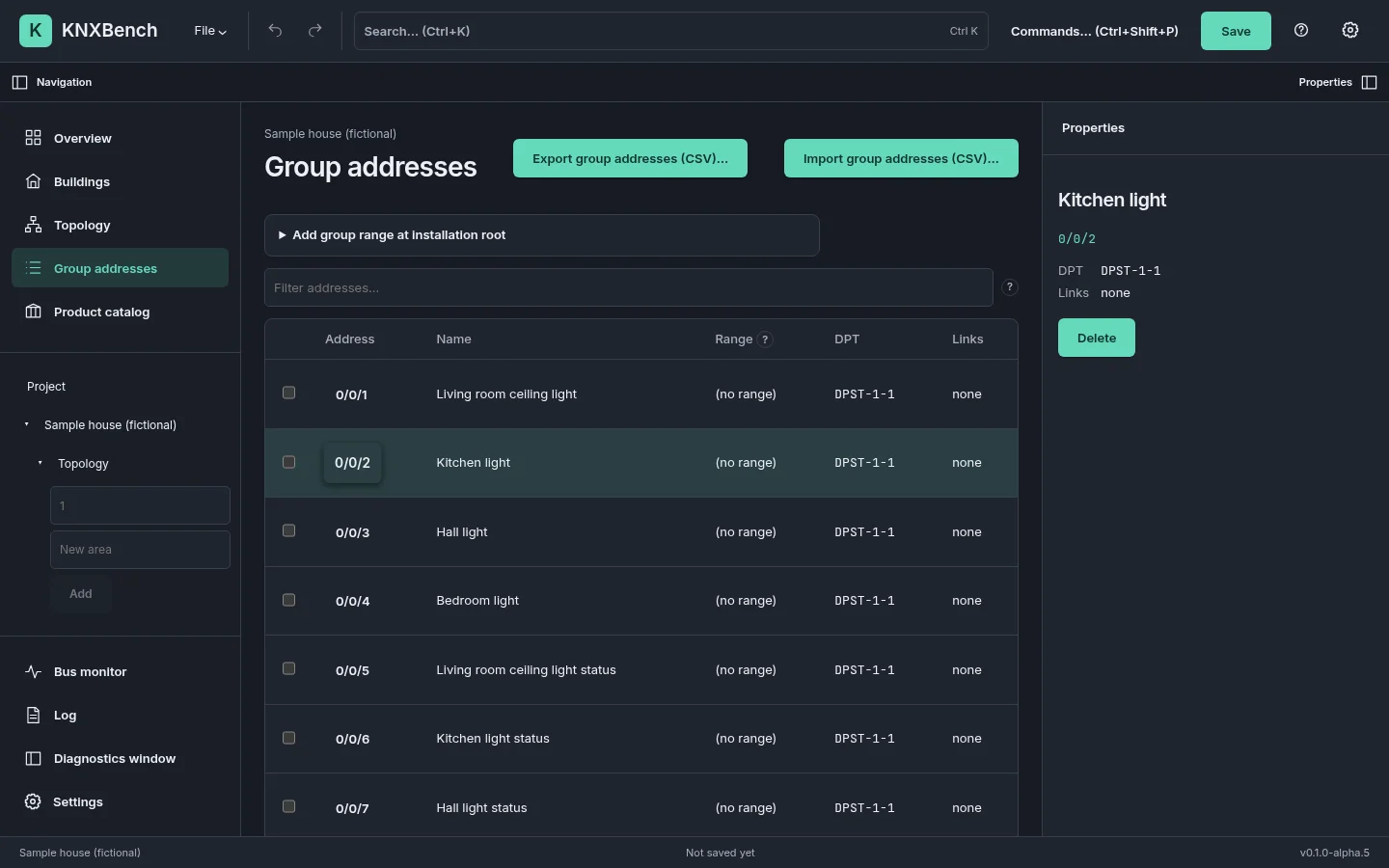
Filter group addresses, select an address and inspect its properties right beside it. A calm workspace for the details that matter.
The real app shows the sample house’s group addresses. Typing “Kitchen” into the filter narrows the tree; 0/0/2 is selected and its properties and links appear right beside it. The filter is then cleared again.
There are calm interfaces for focused work. And, when you feel like it, green phosphor and a small starship bridge. Themes, language packs and optional achievements add a little personality.
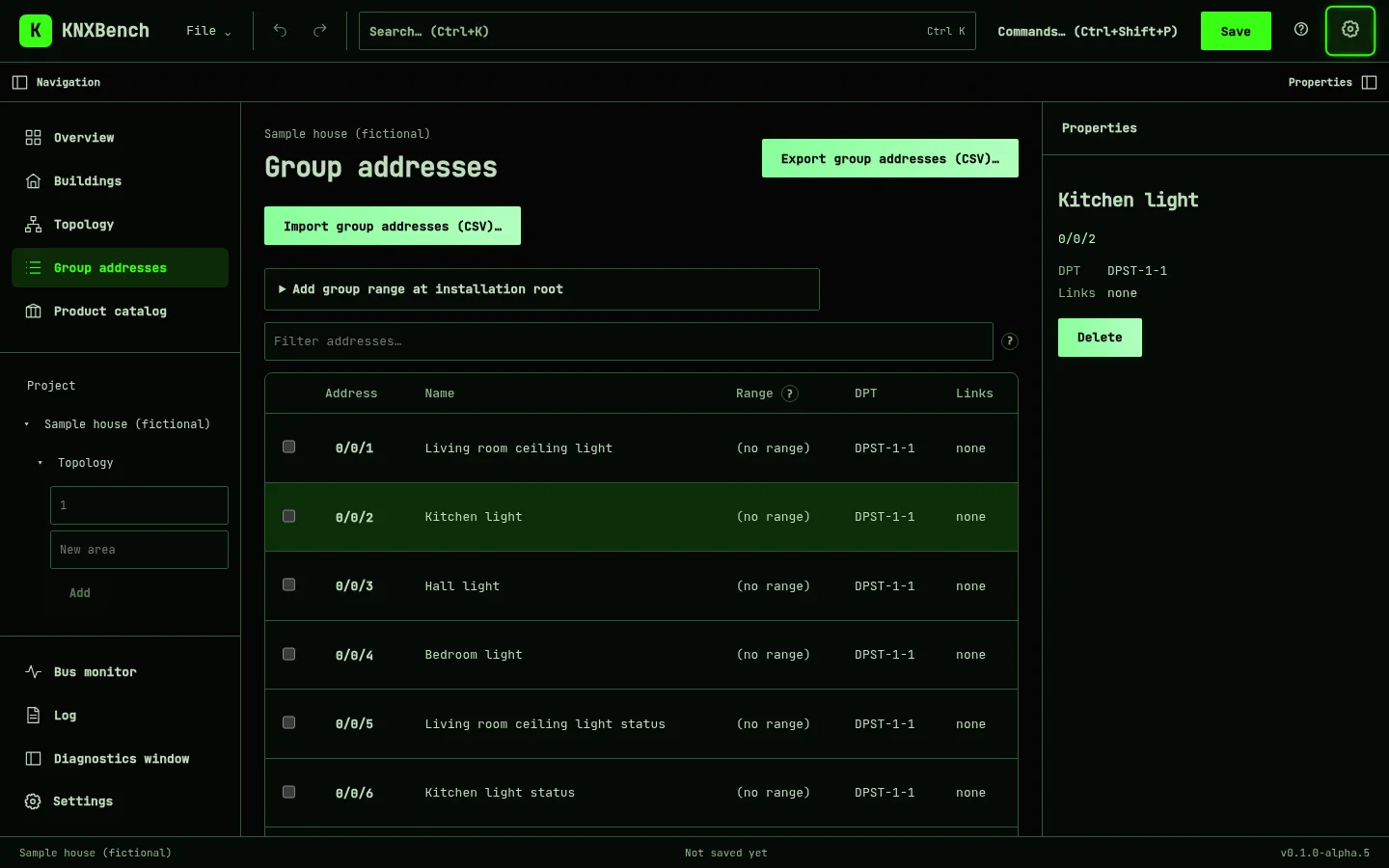
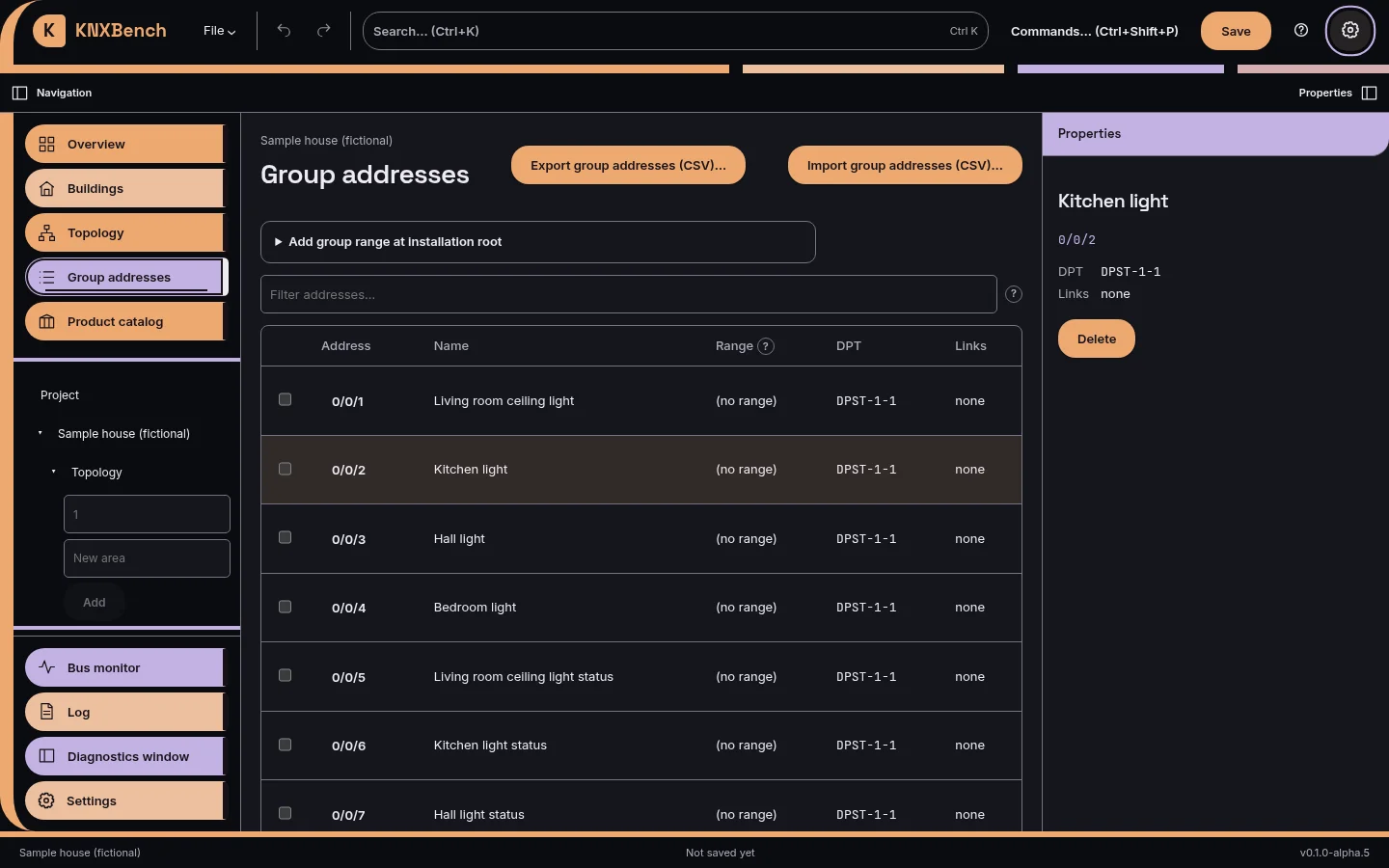
Optional. The regular workbench stays the same. Screenshots: Alpha 14 with a fictional project.
Evolution Story (English)
It began with wanting a KNX tool on Linux. Then came decisions, detours, AI assistants and rather a lot of “just one more thing”. The Evolution Story follows that path, with evidence and a slightly melancholy narrator.
Explore the Evolution StoryKNXBench is under active development. Try it, keep backups and check whether your project and devices fit the supported scope. Your feedback helps make the next version better.
Project work, product data and bus diagnostics are at the core. Import support and device operations have explicitly documented boundaries: not every format or device has the same level of support.
Try a copy first. Read the application’s guidance before hardware operations.
Before updating: close the app and independently back up .knxdb files and all Docker data, including the product database. Alpha 14 keeps native schema 16 and moves the product database to version 24 on first open; Alpha 13’s code refuses that newer product database. Returning needs your pre-upgrade backup; in-file history is not one.
Three fictional offline projects for your own KNXBench instance. Each ZIP includes a native .knxdb, the shared fictional product catalogue and an English tour with five exercises.
32 devices, 105 group addresses. Two living floors, basement and outside areas.
Download ZIP on GitHub101 devices, 339 group addresses. Six apartments, three living floors and shared areas.
Download ZIP on GitHub157 devices, 507 group addresses. Three floors with offices, meeting rooms and auxiliary areas.
Download ZIP on GitHubExtract a ZIP and keep an untouched reset copy. Install fictional-demo-devices.knxprod once through Product catalog, then open a copy of the .knxdb via File → Open. Native edits can auto-save.
Offline exploration only. Fictional applications contain no firmware and must never be downloaded to real devices. These projects are not ETS exports or electrical plans.
Demo version 1.0.0. The frozen ZIP READMEs retain their original “local review candidate” label. See the guide for the tested development build; compatibility with older alpha releases is not promised.
No account with us. No hosted demo. KNXBench runs on your own instance, so you try the real product.
Use the web app through a suitable Docker environment on your system. The container brings the interface and server together; you stay in control of your projects.
Want live bus access from the container? The guide explains the networking setup for your KNXnet/IP interface.
The AppImage packages the desktop application for Linux. Find system requirements, alpha version information and installation guidance with the releases.
View Linux releasesChoose an alpha version, read the release notes and work with project copies.